How to check AI jewellery photos before sharing.
A practical review guide · Updated 1 November 2026
A convincing portrait can still show the wrong necklace. Compare the AI-styled photograph with your real product photo, detail by detail, before approving it for a catalogue or reel. If a detail cannot be checked, leave it unapproved.
Put the original beside the output
Use a clear, full photograph of the actual piece as your reference. Keep the full silhouette visible, then open detail views of the pendant, connectors and earrings. If a stone or fastening is hidden in the source, take another photograph instead of asking AI to guess.
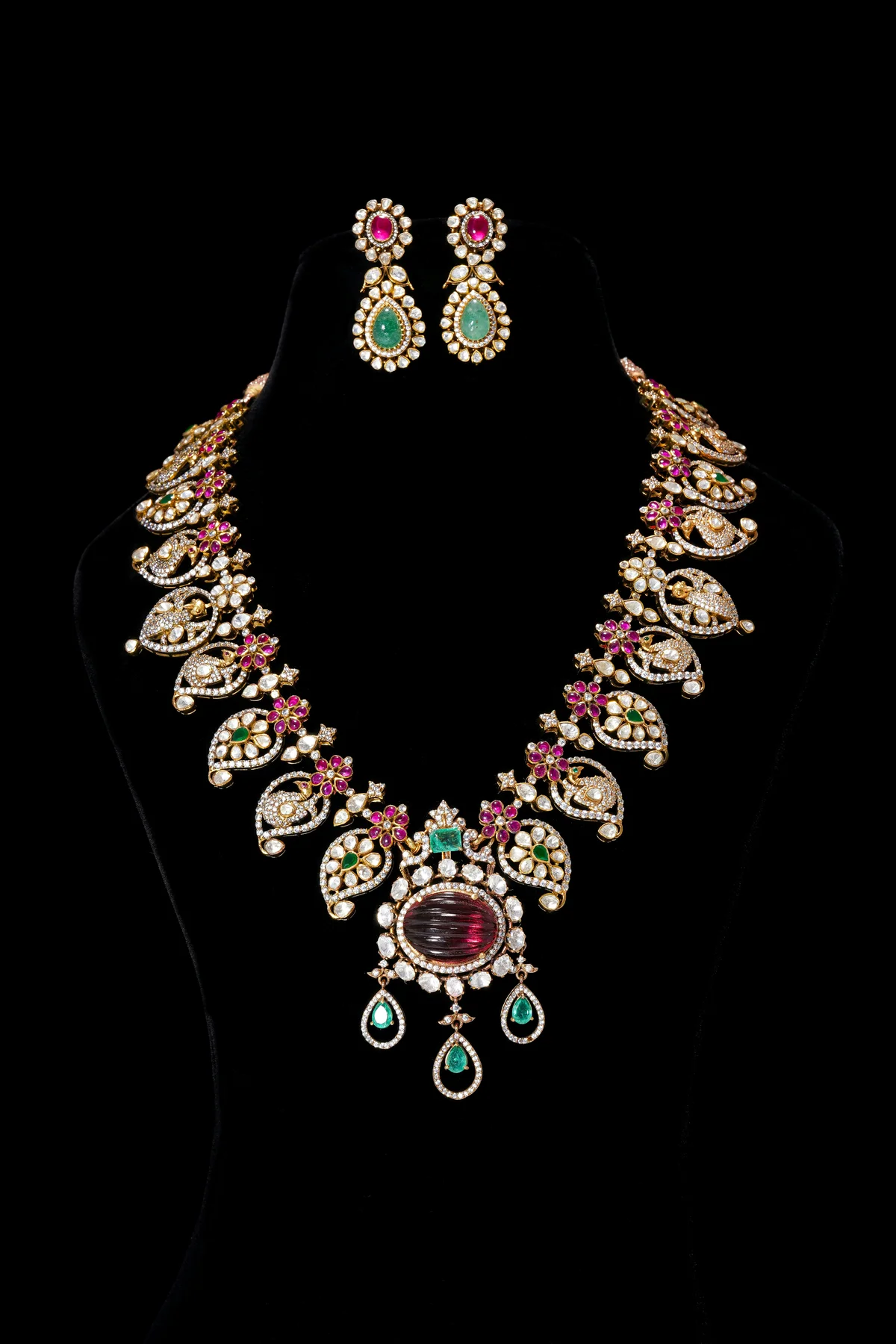
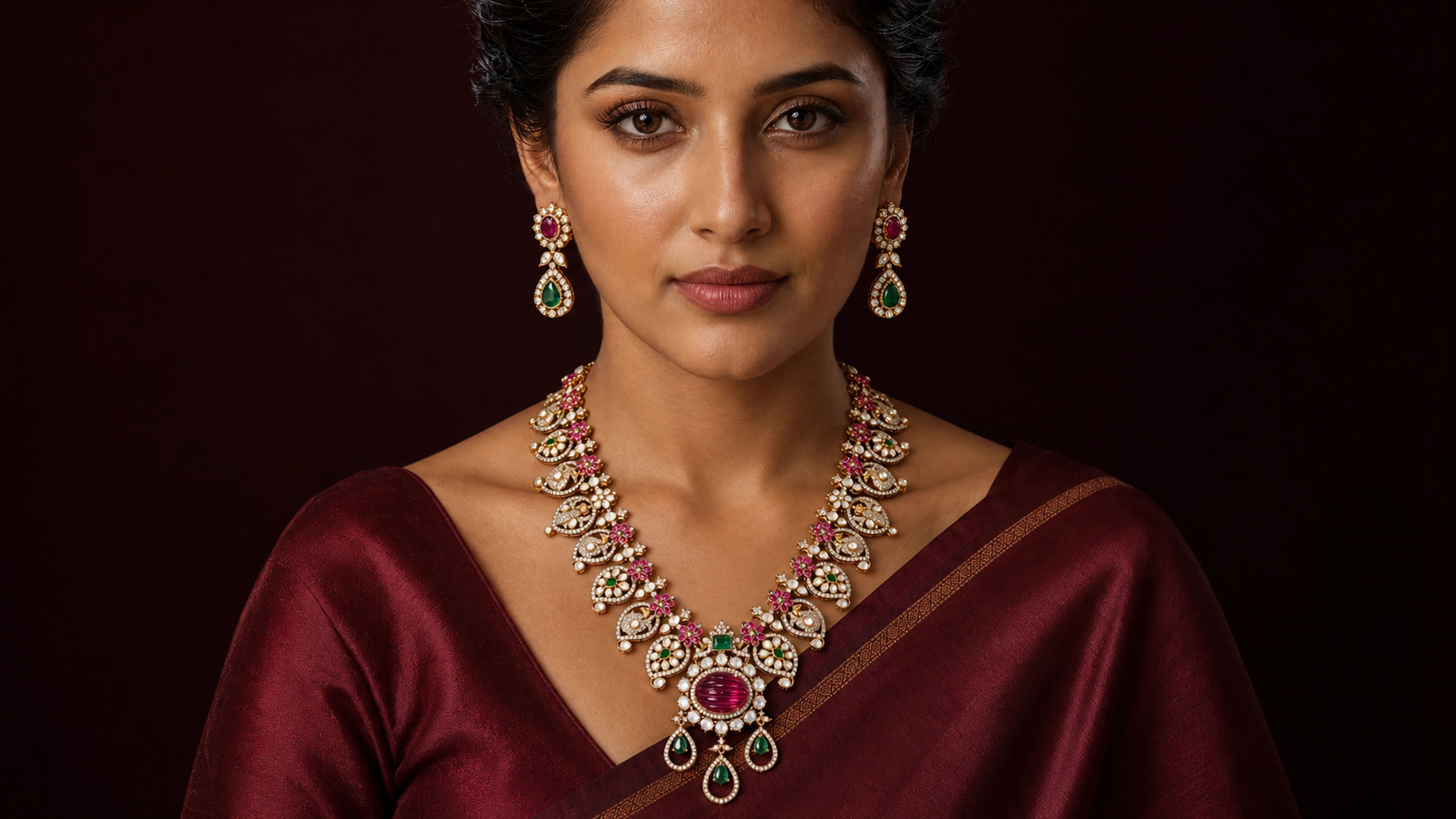
You can inspect the original product photograph used on this site and the AI-generated dark-studio sample. These are demonstration assets, not a certified matching pair. The source photograph is by Maruthi Collections on Unsplash.
Follow the same route around every piece
- Outline and arrangement. Check the necklace’s drape, the pendant’s shape and the order of the decorative units. For a set, check each component separately.
- Stones. Compare the number, shape and placement of visible stones. Look for a rectangle becoming an oval, a missing small stone or a halo becoming too regular.
- Settings and connectors. Follow the joins between units. Check openwork, drops, prongs and links. A convincing gold texture can hide a substituted motif.
- Earrings. Check the stud, the connector and the lower drop as separate parts. Confirm that the two earrings belong to the same design as the source.
- Scale and position. Compare how the piece sits when worn. Without a measured reference, a photograph alone cannot establish its exact physical size.
- Appearance. Check whether the lighting has made the metal or stones look materially different. A photograph does not verify purity, weight or hallmark information; use the shop’s records for those facts.
What our own samples taught us
The review of this website’s demonstration images found substituted necklace units, differences in stone shapes and connectors, and more regular white-stone halos. Improving the overall size did not resolve every small detail. That is why the samples carry a disclosure instead of a claim that they are exact copies.
Use that distinction in your own review: “looks better” and “matches the piece” are separate decisions. A sharper or larger image can make an error easier to see; resolution does not prove accuracy.
Record the decision
For each output, note the design code, source photograph, differences found, reviewer and decision. A simple note might read: “Earring lower drop matches; stud shape differs; reject this output.” Do not approve a picture simply because the model, pose or lighting is attractive.
- Approve only after the shop has checked the visible details against the piece.
- Hold when the reference does not show enough detail to decide.
- Reject when the output changes the design. Correct the source or output, or use the original photograph.
Check movement before posting a reel
A still-image review is only the start. Watch the entire reel, pause before and after cuts, and inspect the jewellery during close-ups and turns. Look for a stone disappearing, a connector changing or an earring becoming another design. Review any spoken lines and post copy too; they should not invent facts about the piece.
The AI story reel studio starts from photo references. A reference that already changes the jewellery needs correction before animation.
Give the customer the same reference
Publish approved images with a visible AI disclosure and keep the original photograph available. Ornavie’s WhatsApp-shareable jewellery catalogue keeps that reference beside the styled photos. Read the sample disclosures and AI-content policy for the limits of the images on this site.